
eMailGanizer Pro2.0.1 - App Store
You'll be able to see results in few seconds.
Publisher Description
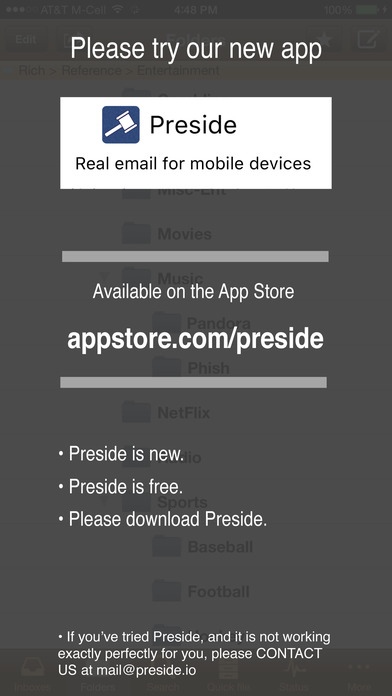
Please try our new app: Preside
It's available at: http://itunes.apple.com/app/id808514898
Take control of your email and your life.
Manage messages once and move on. This tool provides intelligent, predictive, email filing. Don t waste time waiting to file important messages until you are at a desktop. eMailGanizer allows instant messaging processing. With only two taps, you can file your messages, regardless of how many folders you have.
eMailGanizer is also a powerful, Outlook compatible, email reader. We believe you should be able to get things done your way, so we made eMailGanizer seamlessly integrate with your preferred method of task management. eMailGanizer even allows you to work offline with synchronization when you reconnect.
Check out these features that put you back in control of your Inbox:
Filing
File emails in seconds
Search for destination folders by name
Batch file emails to different folders
Shake-to-undo previous filing action
Batch deletes and moves
File to favorite folders instantly
Swipe to file
Move emails between accounts
Integration
Add emails to iPhone Calendar & Reminders
Add emails to Toodledo & Exchange/Outlook
Add emails to OmniFocus, Appigo Todo, Firetask, Things, The Hit List, Evernote, Drafts, Notebooks & more.
Folders
Expand/Collapse style folder navigation
Find folders by searching
Add, move, rename, & delete folders
Off-line operation for later synchronization
Universal Inbox, Unread, & other 'Smart' folders
Show all folders/labels for email
Compatibility
Hotmail
Outlook
Exchange
IMAP (gmail,Rackspace,Yahoo,AOL,iCloud, & any other modern email account).
More
Offline full-text email search
@Context folder awareness
Email threading with conversation view
Multiple color schemes
Passcode lock
Mark emails read, unread & flagged
Extensive configuration options
Pull to sync
Speak emails - Powered by iSpeech
MDM Environments
eMailGanizer is not known to work in all MDM environments. We are happy to work with your IT department to resolve incompatibilities within specific environments.
Outlook/Exchange Calendars & Tasks
Do NOT unhide these folders. It will cause problems. eMailGanizer can interface with Exchange tasks and calendars through the iPhone Calendar and Reminders.
Privacy:
eMailGanizer stores all of your emails and account information on your phone. All email related communication is performed between your phone and your email account.
Setup:
Since eMailGanizer needs to learn your filing behaviors, the initial setup can take a while. A setup wizard will lead you through the process of entering your account information and the downloading will begin when that process is complete. For best results, you should be on a WiFi network.
Support
Please contact us for any & all support issues.
Requires iOS 5.1.1 or later. Compatible with iPhone, iPad, and iPod touch.
About eMailGanizer Pro
The company that develops eMailGanizer Pro is GoodHumans. The latest version released by its developer is 2.0.1.
To install eMailGanizer Pro on your iOS device, just click the green Continue To App button above to start the installation process. The app is listed on our website since 2011-01-15 and was downloaded 0 times. We have already checked if the download link is safe, however for your own protection we recommend that you scan the downloaded app with your antivirus. Your antivirus may detect the eMailGanizer Pro as malware if the download link is broken.
How to install eMailGanizer Pro on your iOS device:
- Click on the Continue To App button on our website. This will redirect you to the App Store.
- Once the eMailGanizer Pro is shown in the iTunes listing of your iOS device, you can start its download and installation. Tap on the GET button to the right of the app to start downloading it.
- If you are not logged-in the iOS appstore app, you'll be prompted for your your Apple ID and/or password.
- After eMailGanizer Pro is downloaded, you'll see an INSTALL button to the right. Tap on it to start the actual installation of the iOS app.
- Once installation is finished you can tap on the OPEN button to start it. Its icon will also be added to your device home screen.
Program Details
System requirements
Download information
Pricing
Version History
version 2.0.1
posted on 2011-01-15
Disclaimer
Official App Store Link
We do not host eMailGanizer Pro on our servers. We did not scan it for viruses, adware, spyware or other type of malware. This app is hosted by Apple and passed their terms and conditions to be listed there. We recommend caution when installing it.
The App Store link for eMailGanizer Pro is provided to you by apps112.com without any warranties, representations or guarantees of any kind, so access it at your own risk.
If you have questions regarding this particular app contact the publisher directly. For questions about the functionalities of apps112.com contact us.
